
Recoil Control vs Aimbot: Does One Include the Other?
Separate recoil compensation, target selection, firing automation, and visual information when comparing feature descriptions.
Recoil control, aiming movement, firing automation, and visual information describe four different functions. A menu can place them near one another, but a useful comparison identifies the action associated with each entry. This guide follows those actions through a structured example and explains how to keep settings, graphical references, and configuration options in their proper groups.
Start with four verbs
Use four action descriptions: compensate, select or move, fire, and display. Recoil-related terminology concerns compensation associated with firing-related movement. Aimbot terminology concerns selecting and aiming toward a subject. Triggerbot terminology concerns a firing event under a stated condition. ESP concerns displayed information. These verbs create a practical starting point for reading a broad combat heading.
Write the action beside the exact feature name. This helps when a provider uses a short label or places an entry in an unexpected panel. The panel gives you a location in the interface; the action description gives you a way to compare the entry with another function. Keeping both fields makes the reference understandable without requiring the reader to share your familiarity with the menu.
Recoil terminology concerns firing-related movement
Read a recoil entry with the surrounding explanation of the movement it addresses. Keep the subject and any stated directional reference in the note. If the control has numerical fields, record their units and definitions. A direction label, an amount, and an interval are different fields, so each needs its own place in the description.
Keep ordinary game settings in a separate section from third-party automation terminology. Sensitivity, for example, belongs to the input relationship described by the game’s settings. A recoil-related automation entry describes another function. Naming the mechanism and the source of the control makes the comparison clearer than grouping everything that affects aim under one broad label.
Aiming terminology concerns a subject or point
An aiming entry should identify the subject selection, target point, and movement controls described in the menu. FOV, filters, bone selection, visible check, smoothness, and speed each belong to a particular part of that explanation. Organize selection-related entries separately from movement-related entries so the sequence remains clear.
For a numerical example, keep a selection-region measurement on one row and a movement scale on another. Their numbers answer different questions. The related FOV and smoothness guide develops that comparison in detail. Here, the goal is to identify the broader action: selecting or moving aim toward a subject is a different function from compensating for a firing-related movement.
Firing terminology concerns an event
A firing entry describes the initiation of a shot under its named conditions. Record the event and condition together. If a delay appears in the description, preserve the unit and the event from which the interval is measured. This keeps timing information attached to the action it modifies rather than leaving an unexplained number in the middle of the reference.
The related triggerbot comparison explains this stage through selection, movement, firing, and activation. A recoil comparison benefits from the same separation because several controls can respond to events within a broader firing sequence. Give each control its own action sentence so a reader can understand which part of the sequence the label addresses.
Display terminology concerns information and presentation
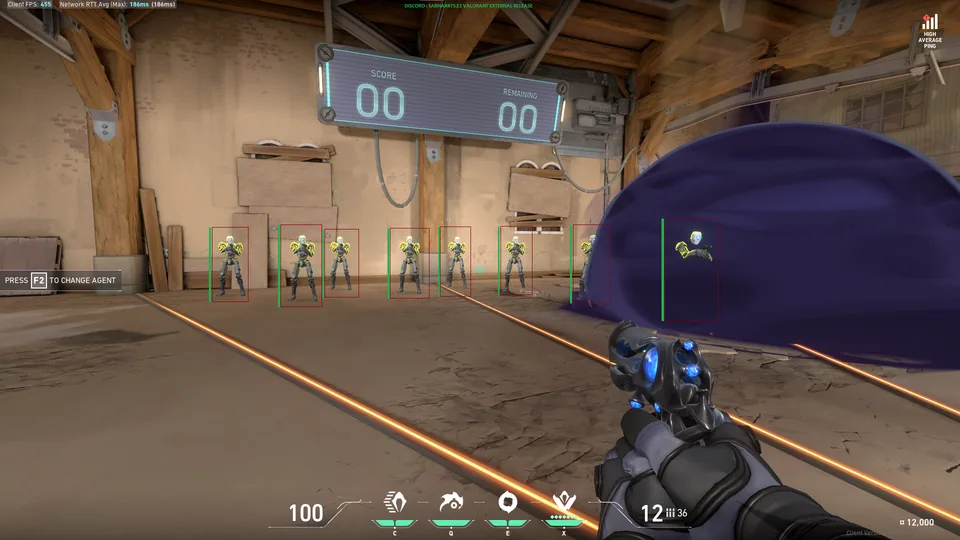
A health label, distance value, box, target line, or drawn region belongs to a graphical reference. Record the subject and what is displayed. A line might connect two reference points, while a bar represents a value. Keeping those descriptions explicit makes the visual group readable even when it appears beside action-oriented controls in the same panel.
Separate information from styling within that group. Health is a value; a bar is a presentation. Distance is a measurement; font size changes its text. This distinction lets you describe the role of each entry without confusing a style option with another action. It also makes a feature worksheet more compact because related presentation controls can sit beneath the indicator they modify.
Work through a mixed menu extract
Imagine a menu containing a recoil label, FOV, smoothness, a firing condition, and draw target line. Begin by assigning the recoil entry to compensation. Put the selection region beside selection, smoothness beside movement, the firing condition beside the event, and the line beside display. You now have a map of the panel based on function rather than position.
Next, add any units, selectors, or bindings to their corresponding rows. Keep configuration actions such as save and load in a separate group. A mixed menu is easier to read once each label has a role. This method also makes a later correction straightforward: update the affected row instead of rewriting a broad paragraph that merges several unrelated actions.
Distinguish a binding from the action it invokes
A hotkey identifies an input assigned to an action. Record both the key and its purpose, including any stated hold or toggle behavior. Several bindings can use similar input language while affecting different parts of the interface. A key name becomes useful in a reference when it stays attached to the function it controls.
For a configuration note, list the action first and the binding second. This order makes the note easier to scan when reviewing all the controls associated with a group. The related settings-menu walkthrough applies that approach to selectors, toggles, numerical fields, and profiles, giving the control-level detail that supports the broader function comparison here.
Finish with a function-based comparison
Write one complete sentence for each function you are comparing. Name the action, subject, relevant condition, and control label. Then add units and version context where applicable. This produces a short reference that another reader can follow without interpreting an entire screenshot or guessing how a broad menu heading is being used.
Connect the result to the module-list guide when comparing an offering. Product information, access periods, system requirements, and configuration are additional subjects with their own fields. The four-function comparison gives the combat-related terminology a clear structure, while the broader worksheet keeps that structure alongside the rest of the product research.